
Installing DIVAScores.NET Uploader
This guide will get you up and running with DIVAScores.NET Uploader within 5 minutes!
Step 1
Download DIVAScores.NET Uploader from your modding website of choice!
Step 2
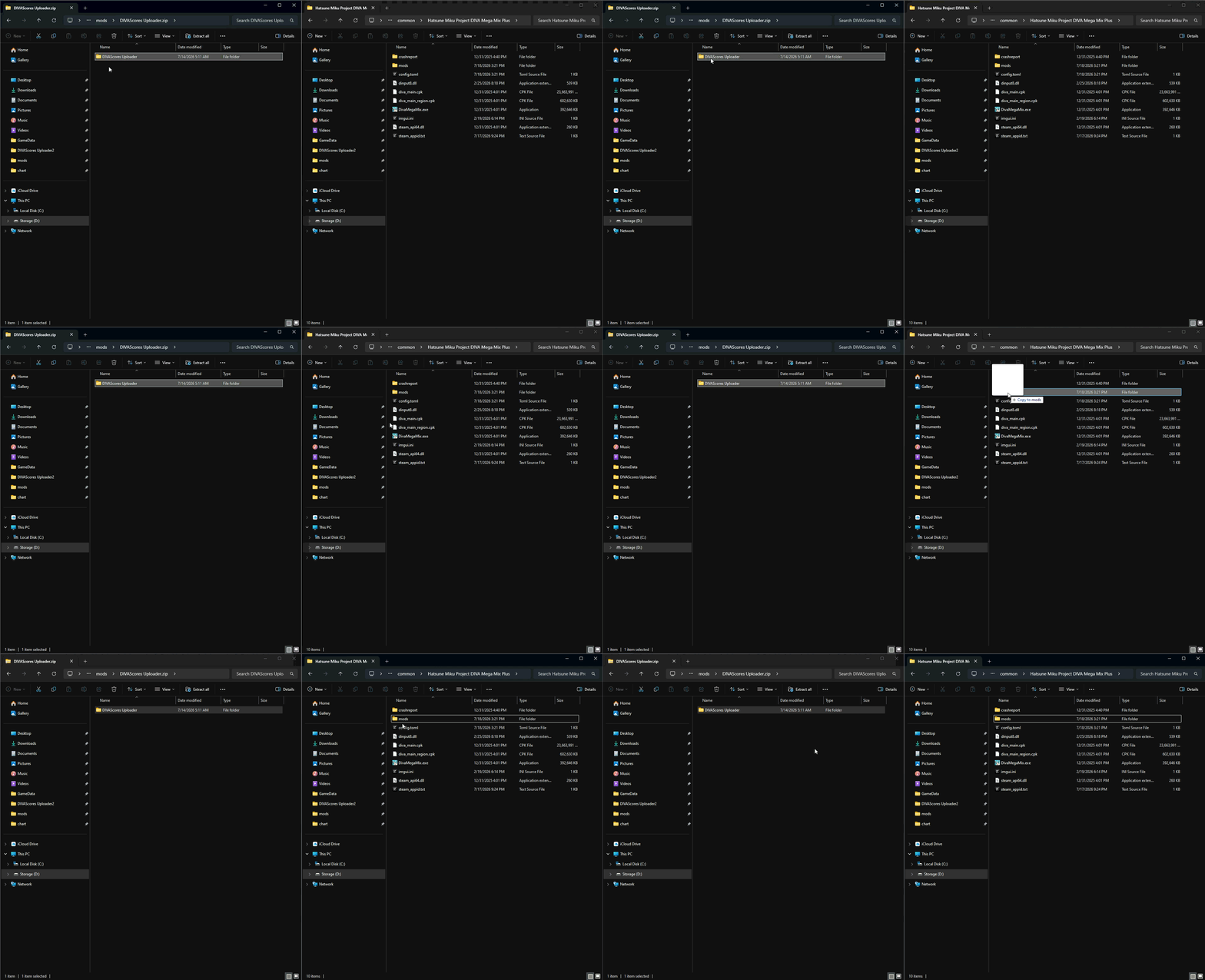
Drag the DIVAScores.NET Uploader folder in the zip file into your mods folder
Step 3
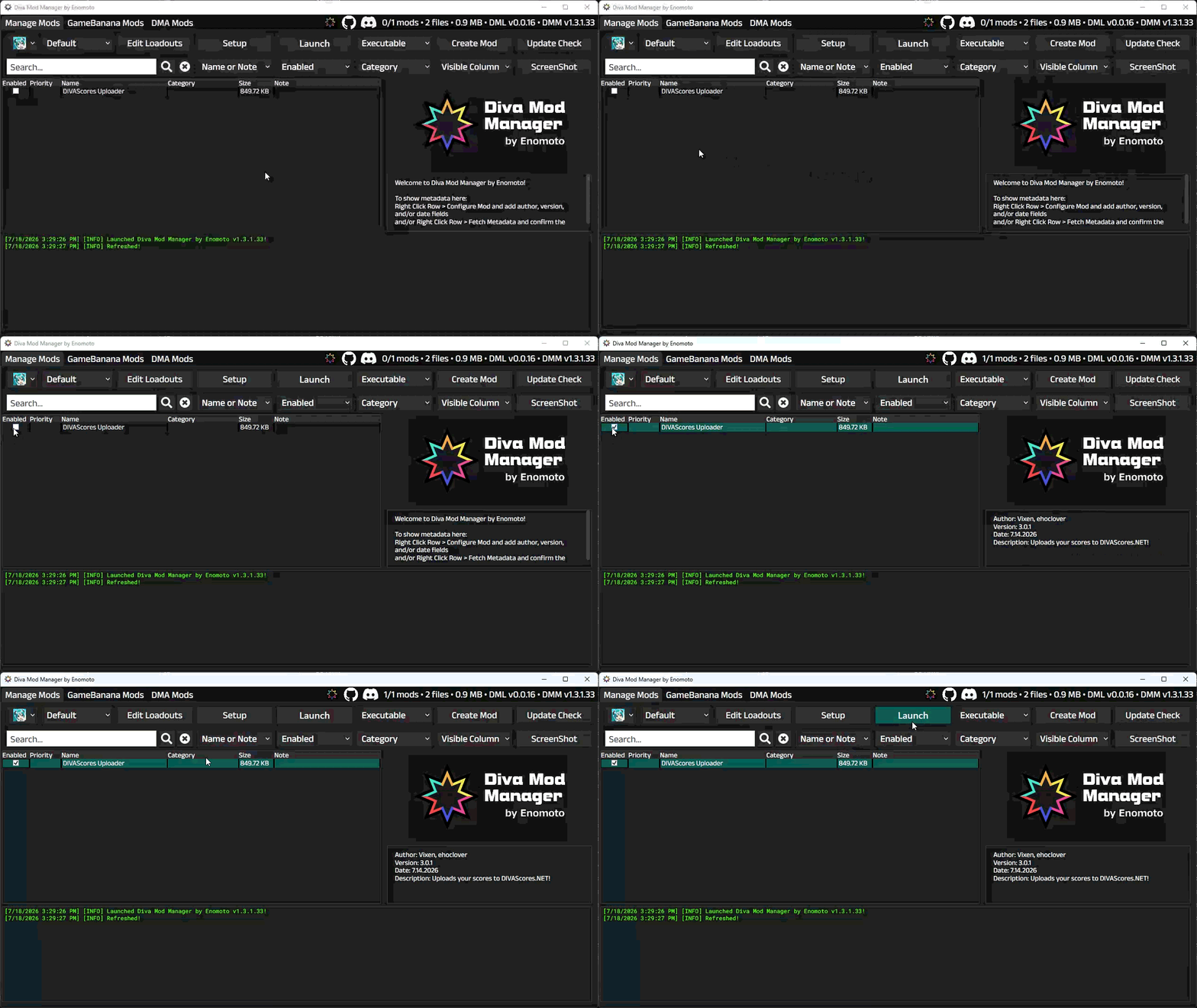
Once you've copied the mod into the folder, open your mod manager of choice (in my case, DIVA Mod Manager), enable DIVAScores.NET Uploader, and launch the game. No configuration needed!
Step 4
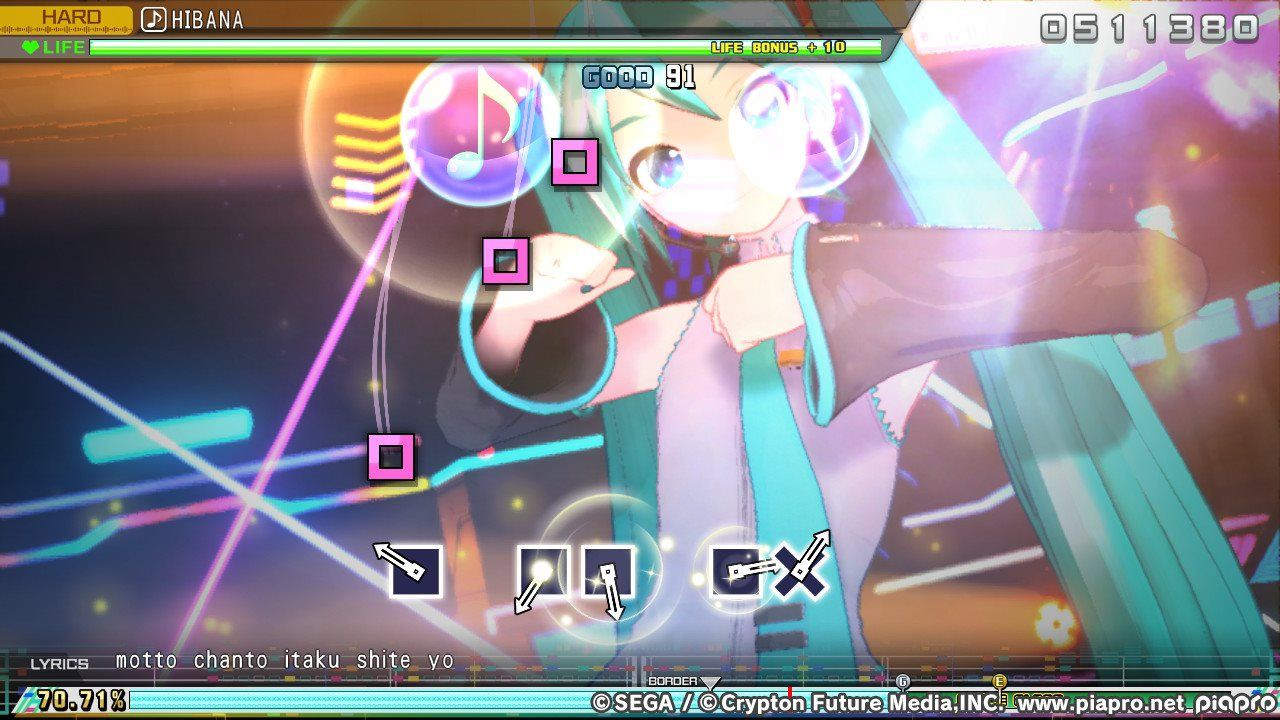
Play one song on HARD or any difficulty above it.